How to Find Sold Listings on eBay (2026): See Real Prices
Verified 2026-07-27
To find sold listings on eBay, run a search, then filter to Sold items — on desktop it is a checkbox in the left sidebar, and in the app it is a toggle under Filter. Sold listings show what buyers actually paid, which is the only price data worth using to value or price an item. This guide covers exactly how to see sold listings on desktop and mobile, the difference between sold and completed items, a URL shortcut, how far back the data goes, and how to read those prices without being misled.

Key takeaways
- Sold listings show real transacted prices; active listings only show what sellers are asking, which is often wishful.
- On desktop, filter with the ‘Sold items’ checkbox in the left sidebar; in the app, use the ‘Sold items’ toggle under Filter.
- ‘Sold items’ shows only what sold; ‘Completed items’ shows everything that ended, including what did not sell, which tells you demand.
- eBay’s regular search shows roughly the last 90 days of sold data; Terapeak, free with a seller account, goes back a full year with deeper analytics.
- Read the range and the sell-through, not a single data point, and account for condition and outliers before you trust a price.
Why sold listings are the only prices that matter
When you want to know what something is worth, the instinct is to look at what it is listed for. That is a mistake. Active listings show asking prices — what sellers hope to get — and anyone can ask any price. A shelf full of items listed at $200 tells you nothing if none of them ever sell.
Sold listings show what buyers actually paid. That is real market data: a completed transaction between a willing buyer and seller. It is the difference between a wish and a fact, and it is the foundation of every good pricing, valuation, and sourcing decision on eBay.
This matters in three situations. If you are selling, sold prices tell you what to list at so the item actually moves. If you are buying or collecting, they tell you whether a price is fair. And if you are reselling or flipping, they tell you whether there is enough margin to bother. In all three, the asking price is noise and the sold price is signal.
How to see sold listings on eBay (desktop)
On a computer, finding sold listings takes about ten seconds:
- Search for the item as specifically as you can — include brand, model, size, and any identifying detail.
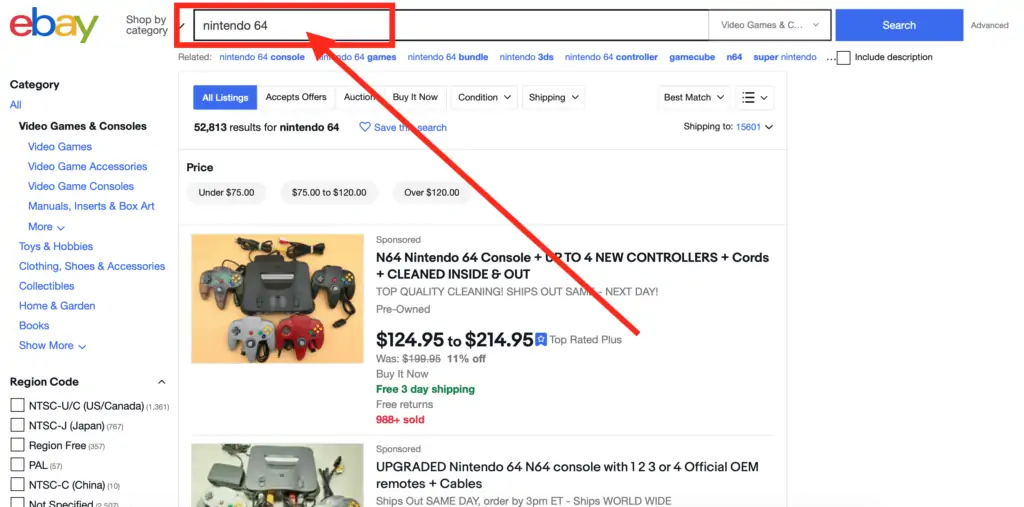
- On the results page, look at the left sidebar and scroll down to the "Show only" section.
- Check the box for "Sold items." The results refresh to show only listings that sold, each with the sold price and date.
That is it. Sold prices appear in the listings, usually in a distinct color, along with the date each sold. From there you can narrow further using the other sidebar filters — condition (new vs used), buying format (auction vs Buy It Now), and item specifics — to compare like with like. Filtering to the exact condition and variant of your item is what turns a rough number into an accurate one.
How to see sold listings on the eBay app (mobile)
The steps are the same idea, just in a different place:
- Open the eBay app and search for your item.
- On the results screen, tap "Filter" (near the top of the results).
- Scroll to and turn on the "Sold items" toggle, then apply.
The results now show only sold listings with their prices and dates. As on desktop, you can layer on condition and format filters in the same Filter panel to compare identical items. The mobile flow is handy when you are sourcing in person — standing in a thrift store or at a yard sale, you can check what an item actually sells for before you buy it, which is the single most useful habit for anyone reselling.

Sold items vs completed items: the difference
eBay lets you filter two related but different ways, and knowing which to use matters:
- Sold items shows only listings that ended in a sale. This is what you want for pricing — the actual prices buyers paid.
- Completed items (sometimes called completed listings) shows everything that ended, whether it sold or not. Unsold listings usually appear in a different color.
Why would you want to see what didn’t sell? Because it tells you about demand and pricing. If you see ten completed listings and only two sold, that item is slow-moving or was priced too high — valuable information before you list your own. A category where almost everything sells is a healthy one; a category where most listings expire unsold is a warning.
Use Sold items to answer "what is it worth?" and Completed items to answer "how easily does it sell, and at what price does it stall?"
The URL shortcut for sold listings
If you check sold prices often, there is a faster way than clicking filters every time. eBay’s search accepts parameters in the URL, so you can jump straight to sold results.
After running any search, you can add these to the end of the search URL in your browser’s address bar:
&LH_Sold=1shows sold items.&LH_Complete=1shows completed items.
Using both together (&LH_Sold=1&LH_Complete=1) gives you the sold view directly. Power users bookmark a sold-listings search for items they track, or keep the parameters handy to paste on. It is a small trick, but if you price dozens of items it saves real time, and it works the same across categories. On mobile you can do the same in a browser tab if the app filters feel slow.
How to actually read sold prices
Seeing sold listings is easy; reading them well is where the value is. A few rules:
- Look at the range, not one number. A single sold listing can be an outlier. Scan the recent sold prices and find the realistic middle, not the highest.
- Match the condition. A new-in-box unit and a used, incomplete one are different products. Filter to your item’s actual condition before you trust the price.
- Separate auction from Buy It Now. Auctions can end high or low depending on who was watching that night; fixed-price sold listings are usually a steadier read.
- Spot the outliers. A price far above the rest is often a bundle, a rare variant, or a listing with something extra included. A price far below might be damaged or a rushed auction. Ignore both extremes.
- Note how recent and how frequent. Prices from last week matter more than prices from three months ago, and an item that sells often has a more reliable price than one that sells rarely.
Read this way, sold listings give you a confident price instead of a guess.
Going deeper with Terapeak (a full year of data)
eBay’s regular search only reaches back so far, but eBay also gives sellers a research tool that goes much deeper: Terapeak Product Research, found inside Seller Hub under the Research tab.
Terapeak is free with any eBay seller account and pulls from eBay’s own transaction data. It shows, for a search:
- Average sold price and the price range over your chosen period.
- Sell-through rate — the share of listings that actually sold, the clearest demand signal there is.
- Total sold and trends over time, so you can see seasonality.
- Data going back up to a full year (365 days), far beyond the roughly 90 days in regular search.
For anyone pricing or sourcing seriously, Terapeak turns eyeballing a few sold listings into reading a proper dataset — average price, how fast it moves, and whether demand is rising or falling. It is the upgrade from "what did the last few sell for" to "what does this item do over a year."

How far back eBay’s sold data goes
This trips people up, so it is worth stating plainly. In eBay’s regular search, the Sold and Completed filters show roughly the last 90 days of activity. That is usually enough to price common items, because recent prices are the most relevant anyway.
If you need more history — to check seasonality, spot a long-term trend, or research an item that sells infrequently — that is exactly what Terapeak is for, with up to a year of data.
One consequence of the 90-day window: for rare or seasonal items, regular search may show only a handful of sold listings, or none. When the data is thin, widen your search terms, drop overly specific filters, or switch to Terapeak’s longer window. A price built on two sold listings is a weak signal; treat it with caution and look for more comparables before you rely on it.
Using sold data to price, value, and source
Put it together and sold listings drive three decisions:
Pricing to sell. Before you list, filter to sold, match the condition, and price near the realistic middle of the recent range — slightly under if you want it gone fast, at the top only if yours is exceptional. Remember to leave room for eBay’s fees.
Valuing what you own. Curious what a collectible, a piece of vintage, or an inherited item is worth? Sold listings are the fastest honest answer, far better than a "list price" you might see quoted elsewhere.
Sourcing to resell. This is where the mobile habit pays off: standing in a thrift store, check the sold price and sell-through before you buy. If it sells for $40 and often, and you can buy it for $5, that is a flip. If it rarely sells, walk away. Our guides to thrift flipping and to selling on eBay build on exactly this data.

Common mistakes when reading sold listings
A few errors undo all the value of checking sold data:
- Pricing from active listings by accident. Make sure the Sold filter is actually on — it is easy to glance at asking prices and mistake them for sold ones.
- Trusting a single sale. One high sold listing is not the market. Use the range.
- Ignoring condition. Comparing your used item to new-in-box sold prices will leave you disappointed at checkout.
- Forgetting fees and shipping. A $50 sold price is not $50 in your pocket after the roughly 13.6% final value fee and shipping. Price with that in mind.
- Over-trusting thin data. For rare items with few sales, the price is uncertain by nature. Widen the search or use Terapeak rather than betting on two data points.
Avoid those, and sold listings become the reliable backbone of every buying and selling decision you make on eBay.
Frequently asked questions
How do I find sold listings on eBay?
Search for your item, then filter to Sold items. On desktop, check the ‘Sold items’ box in the left sidebar under ‘Show only.’ In the eBay app, tap Filter, turn on the ‘Sold items’ toggle, and apply. The results show only listings that sold, with the price and date of each sale.
What is the difference between sold and completed listings on eBay?
‘Sold items’ shows only listings that ended in a sale — the prices buyers actually paid. ‘Completed items’ shows everything that ended, including listings that did not sell. Use sold items to price and value; use completed items to judge how easily something sells and at what price it stalls.
How far back do eBay sold listings go?
eBay’s regular search shows roughly the last 90 days of sold and completed listings. For more history, use Terapeak Product Research in Seller Hub, which is free with a seller account and shows up to a full year of eBay’s own sold data with average prices and sell-through rates.
Why should I use sold prices instead of listing prices?
Listing (active) prices only show what sellers are asking, and anyone can ask any price. Sold prices show what buyers actually paid — real completed transactions. That makes sold listings the only reliable basis for pricing an item, valuing what you own, or deciding whether a resale flip is worth it.
Is there a quick way to see eBay sold listings?
Yes. After searching, add ‘&LH_Sold=1’ to the end of the search URL in your browser to jump straight to sold results, or ‘&LH_Complete=1’ for completed items. Many people bookmark a sold-listings search for items they track so they can check current prices in one click.
How do I read eBay sold prices accurately?
Look at the range rather than one number, match your item’s exact condition, separate auction results from fixed-price, and ignore outliers like bundles or damaged items. Give more weight to recent and frequent sales. When only a few listings have sold, treat the price as uncertain and gather more comparables.
What sellers are reporting
Resellers repeatedly describe checking eBay sold listings on their phone while sourcing in thrift stores as the habit that most improved their buying decisions, and warn newcomers against pricing from active listings.
— members of the r/Flipping community, community post
Sellers on eBay’s community boards recommend Terapeak for a full year of sold data and sell-through rates when the roughly 90-day regular-search window is too short to judge an item.
— sellers on the eBay Community selling board, community post
What this guide does not cover
This guide explains how to find and read eBay sold listings in the US; eBay’s interface, the exact position of filters, and the length of available sold history can change, so confirm against the current site. Reading sold data well informs a price but does not guarantee an item will sell at that price.
Sources
- eBay’s selling and research tools, including Terapeak product research, are available to sellers in Seller Hub. — eBay Help
- Full breakdown of eBay’s fees, relevant when pricing from sold data. — Thrift Wagon